
“On my way to the next destination, I stopped in my tracks at the view from a hilltop.”
“I was admiring a town bathed in the setting sun and ended up spending more time taking screenshots than progressing through the quest.”
RPGs and open-world games offer moments that deserve more than simply moving the story forward.
Distant mountains, intricate details on buildings, light reflected on water.
If you want to take your time enjoying these worlds, why not choose a monitor that suits the way you play?
Still, when you see terms like “4K,” “HDR,” and “ultrawide,” it can be hard to know what to prioritize.
This guide looks at four things—fine detail, light and shadow, screen width, and smooth motion—to help you find the right monitor.
Start with the Visual Experience You Want
If you love examining scenery and costumes, focus on resolution. If the atmosphere of a sunset or a dark cave matters most, consider color and contrast.
For sweeping landscapes, look at aspect ratio. For satisfying combat and camera movement, pay attention to motion smoothness.
Even among RPG fans, the right priorities depend on the moments you enjoy most.
Start by thinking of scenes in the games you usually play that you would like to appreciate even more.
FHD, WQHD, and 4K: How Resolution Affects Scenic Detail
Resolution is the number of dots, or pixels, that make up the screen.
Common examples are FHD at 1920×1080, WQHD at 2560×1440, and 4K at 3840×2160.
At the same screen size, more pixels allow finer details to be displayed.
Think of a distant castle’s outline, patterns in cobblestones, or a character’s outfit.
The results also depend on the game’s rendering quality and settings, but higher resolution is worth considering if you enjoy examining details like these.

FHD: Enjoy Gaming with Less Demand on Your PC
FHD (1920×1080) renders fewer pixels than WQHD or 4K, making it easier to achieve higher frame rates on the same PC with similar graphics settings.
It is an option if you want to play comfortably on your current PC or prioritize smooth combat and camera movement over fine visual detail. Perceived sharpness also varies with screen size and viewing distance, so consider your setup as well.
WQHD is worth considering if you want more detail than FHD while keeping the demands on your PC in balance.
Paired with a screen of around 27 inches, it is also a practical option for exploration, combat, and everyday tasks.
Because it renders fewer pixels than 4K, it is easier to achieve higher frame rates on the same PC with similar graphics settings.
If you want beautiful scenery while keeping combat smooth, WQHD is a good place to start.
4K has four times as many pixels as FHD.
It is a strong option if you value fine detail on a larger screen or enjoy composing shots in photo mode while taking in the game world.
However, rendering higher-resolution graphics requires more PC performance.
Connecting a 4K monitor does not mean every game will run at high graphics settings and high frame rates.
Check the requirements of the games you play, along with the display output capabilities of your PC or console.
If you are unsure, ask whether your games will run consistently at your usual settings.
It is easier to choose when you consider higher resolution together with the balance between graphics settings and smoothness.
Check Color and HDR to Enjoy Light and Shadow
The colors of a sunset fading into the night sky, a torch glowing deep inside a cave, sunlight entering a dark room.
A game’s atmosphere depends on color and contrast as well as fine detail.
The “color gamut” listed on product pages describes the range of colors a monitor can display.
“Contrast ratio” measures the difference between bright and dark areas.
A wide color gamut and accurate color reproduction are different things, so avoid judging overall picture quality by specifications alone.
HDR is a technology for displaying the brightness and color information in compatible content.
However, monitors labeled “HDR compatible” can look different depending on their brightness, black levels, backlight control, and other factors.
Before buying, compare brightness, contrast, and whether the monitor has any certification—and what that certification covers—in addition to HDR signal support.
It is also important not to assume that a label such as “HDR400” means the same thing as VESA DisplayHDR certification.
When using HDR, check support and settings on the game, PC or console, and monitor.
If a compatible game includes a brightness calibration screen, follow its instructions to adjust the picture.

A Bigger Screen or a Wider View: Which Suits You?
Wanting to play on a bigger screen and wanting to see a wider landscape are slightly different goals.
Along with screen size, pay attention to the ratio between width and height.
Commonly used for FHD, WQHD, and 4K, 16:9 is the standard widescreen aspect ratio.
If you plan to use both a PC and a console, starting with this format makes it easier to match the monitor to their supported video outputs.
If you choose a larger screen, make sure it suits your desk.
Check not only the monitor’s width, but also the stand’s depth and the distance from your seat to the screen.
A useful guide is whether you can comfortably read subtitles and see information at the edges from your usual seating position.
A 21:9 screen, often called ultrawide, offers extra horizontal space.
A common resolution is 3440×1440. In compatible PC games, it may display a wider view than standard 16:9, letting you appreciate expansive plains and townscapes.
However, the visible area depends on how the game is designed.
Not every title offers a wider field of view: some may show black bars on the sides, while others switch to 16:9 for cutscenes.
Check ultrawide support for the games you play most before buying.
A curved screen bends inward toward the viewer.
Some ultrawide models use this design, but the experience depends on your preferences and seating position.
If you also plan to connect a console, check supported input resolutions and whether the picture can be displayed without stretching.
For Exploration and Combat, Remember Smoothness Too
Sometimes you walk slowly and admire the scenery; at other times you dodge attacks and swing the camera around quickly.
In RPGs with action elements, smooth motion matters alongside fine visual detail.
Hz indicates how many times a monitor can refresh its screen per second.
Frames per second, or fps, is the number of frames a PC or console renders each second.
To benefit from a high refresh rate, you also need to consider the frame rates your device can deliver.
For example, if gameplay feels sluggish at 4K with high graphics settings, you could adjust settings such as shadows or try the game’s performance mode, if available.
Find a balance that feels right based on how much you value admiring the scenery and responsive combat.
AMZFAST Options for the Way You Play
Let’s apply these considerations to some specific products.
A monitor’s maximum refresh rate is its supported capability; it does not mean a game will always run at the same number of frames per second.
Check the combination of device, input port, and settings you plan to use.

For Fine Scenic Detail: AMZG27F6U
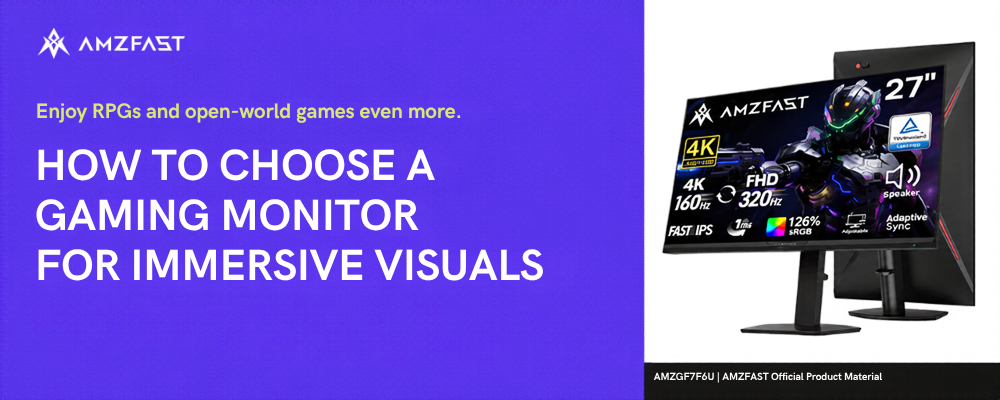
The 27-inch AMZG27F6U, with 4K resolution (3840×2160), is an option for those who prioritize fine details in townscapes, costumes, and more.
It is also worth considering if you want a sharper picture in the same space rather than a major increase in screen size.
First, check which resolutions and graphics settings work well in the games you play most.
Then consider whether taking your time to enjoy 4K visuals is a priority for you.
AMZG27F6U Official Product Page
The AMZG34C8 Pro is a 34-inch curved ultrawide model with a resolution of 3440×1440 and a 21:9 aspect ratio.
It is an option for those who want to enjoy wider landscapes in compatible PC games.
When considering this model, first check whether your favorite games support 21:9.
Next, check your desk’s width and depth, along with your viewing distance.
Your choice should reflect how you want to use the wider screen, as well as the resolution.
AMZG34C8 Pro Official Product Page
The AMZG27F5Q Pro is a 27-inch Fast IPS model with WQHD resolution (2560×1440) and a refresh rate of up to 280Hz.
It is an option for those who enjoy RPG scenery as well as a range of games with fast movement, including action games and first-person shooters.
You do not need to aim for 280fps in every game.
If you want to balance WQHD detail with smoothness, take a look while checking the frame rates you can achieve in your usual games.
AMZG27F5Q Pro Official Product Page
Seven Things to Check Before You Buy
Once you have found a model you like, check the following before making your decision.
- Do your usual games and devices support your preferred resolution and aspect ratio?
- What frame rates can your PC or console deliver at your usual graphics settings?
- Can your input port and cable handle your preferred resolution and refresh rate?
- If you plan to use HDR, have you checked support and settings on the game, device, and monitor?
- Will the monitor and stand fit on your desk while allowing a suitable viewing distance?
- Are subtitles and menu text easy to read, and can you adjust the monitor’s height and angle?
- Have you checked the warranty and where to get support after purchase?
In particular, checking game compatibility before choosing an ultrawide monitor and device performance before choosing a higher resolution can help avoid mismatched expectations after purchase.
What Do You Want to Enjoy More on Your Next Adventure?
The pleasure of exploring a vast world is about more than the number of quests or the size of the map.
Noticing a distant view, watching the sky change from evening to night, or finding a favorite spot between battles.
These moments are part of what makes RPGs enjoyable.
For fine detail, consider resolution; for a wider view, aspect ratio; and for action, frame rate and refresh rate.
Once you decide which moments matter most to you, your priorities for choosing a monitor become clearer.
Choose with the screen you want for your next adventure in mind.
For product specifications and availability, visit the AMZFAST official website and the product pages on Amazon Japan!

Leave a comment
This site is protected by hCaptcha and the hCaptcha Privacy Policy and Terms of Service apply.